
Family Dollar
Family Dollar StoresShopping
3.614.86K Reviews
- Version
- 8.3.2
- Installs
- 10.00M
- Age Rating
- Everyone
Screenshots
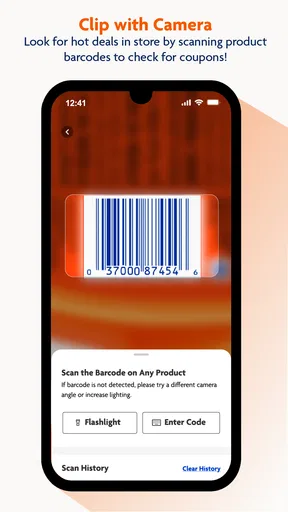
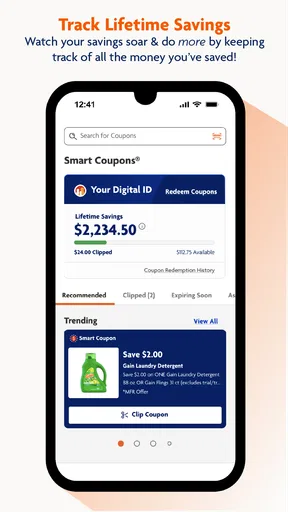
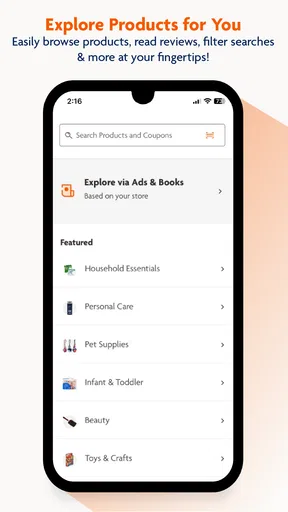
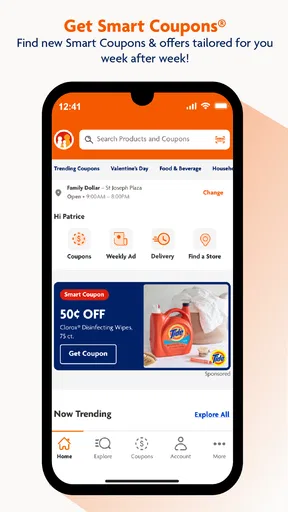
Our Review of Family Dollar
 Analysis by Appyee
I spent time using the Family Dollar app as a practical shopping companion rather than treating it like a digital version of a paper flyer. Developed by Family Dollar Stores, this free shopping app is aimed at people who already buy household basics, personal-care items, snacks, and other everyday products at Family Dollar. Its main value is helping me prepare before I visit a store, especially when I want to check current offers and make a short shopping trip more deliberate.
That sounds simple, and in many ways it is. The app does not try to replace the entire shopping experience with a complicated system. Instead, it puts Family Dollar’s store-focused information in one place and gives me a way to think through a purchase before I walk through the doors. The most useful capability is preparation: checking what may be worth buying before I spend time browsing in person.
It is available at no cost and carries an Everyone age rating, so it is approachable for a broad range of shoppers. The current version is 8.3.0, and the app requires iOS or Android 12 or later. That operating-system requirement is worth checking before installing, particularly if you use an older phone that still works well for everything else.
Using the app as a pre-shopping tool
I use the app before setting out, but the next question is how well that preparation holds up when I’m relying on a phone while moving between home, the road, and the store. I’ll look at the small choices that make a pre-shopping check more useful, then consider what to do when the information on screen and the in-store situation don’t line up.
What the central capability changes
My preferred way to use Family Dollar is before leaving home. Instead of arriving with only a vague list such as “cleaning supplies” or “snacks,” I can use the app to narrow my attention to the products and offers that matter to my household. That small change makes the store visit feel less random. I still make the final choice in the store, but I begin with a better idea of what deserves a closer look.
This is particularly useful for repeat purchases. If I regularly need laundry products, paper goods, toiletries, or inexpensive pantry items, a quick check before shopping can help me decide whether to buy now, wait, or adjust the list. The benefit is not that the app magically plans an entire budget. Its benefit is that it gives the shopping trip a starting point.
I also found that the app makes more sense when I use it with a written list rather than opening it without a purpose. A list gives me a filter. I can look for relevant deals instead of being distracted by every possible bargain. That matters in a discount store, where a low price can still become an unnecessary purchase if it was never part of the plan.
How I would use it before visiting a store
I begin by deciding what kind of trip I am making. A quick essentials run needs a different approach from a larger household restock. For a short trip, I check the app with only a few categories in mind. For a bigger trip, I separate the list into household, food, and personal-care items, then compare the offers I find with what I actually need.
One useful habit is to treat the app as a planning screen rather than a promise that every item will be waiting exactly as expected. Store shopping is still a physical experience, and availability can vary by location and timing. I use what the app shows to guide my attention, then confirm the product and price in the store before committing to it.
That distinction prevents disappointment. The app can make me better prepared, but it does not remove the need to check the shelf, package size, or final total. A deal that appears attractive may not be the best choice if the package is smaller than another option or if I would have bought the item anyway at a different store.
A realistic everyday scenario
Imagine I am preparing for a busy week and need detergent, toothpaste, paper towels, snacks for the family, and a few cleaning products. Without preparation, I might walk through the store, remember some items, forget another, and add several impulse purchases. With the app, I can review the shopping plan before leaving, identify the offers connected to the items I already need, and keep the visit focused.
When I arrive, I still compare the actual packages. If the detergent promotion applies to a size I do not normally buy, I can decide whether the larger or different format makes sense. If the paper products are not available, I know not to spend too long searching. The app has done its job by reducing uncertainty before the trip, not by making every in-store decision for me.
This workflow is also helpful when another person is doing the shopping. I can prepare the list and point out which items deserve attention, while the person in the store handles the physical selection. It is not a full household coordination platform, but it can make a simple handoff clearer than sending a long, unorganized message.
Where it fits beside familiar alternatives
The usual alternative is to visit the store without an app, rely on memory, or look through printed promotions. That approach is perfectly fine for a tiny purchase, and it may even be faster when I need one item immediately. Family Dollar becomes more useful when I have several needs to balance and want to prepare from my phone.
Compared with broad grocery or marketplace apps, this one has a narrower purpose. A general shopping service may offer more brands, delivery choices, price comparisons, or cross-store searching. Family Dollar is better suited to someone who already intends to shop at Family Dollar and wants store-specific preparation. If my priority is finding the absolute lowest price across many retailers, I would choose a comparison-oriented service instead.
That narrow focus is not a weakness for the right user. It keeps the experience connected to a particular shopping destination. I do not have to sift through unrelated retailers when my plan is already to visit Family Dollar. The trade-off is that the app is less valuable if I shop wherever a product is cheapest or if I rarely use Family Dollar stores.
Small habits that improve the experience
My first tip is to open the app before I am already standing in the checkout line. The planning benefit disappears if I wait until the last moment. A few minutes at home gives me time to compare the offer with my actual list and avoid rushed decisions.
My second tip is to pay attention to product size and format, not just the headline deal. Discount shopping rewards careful comparison. A product that looks like a bargain may not suit my normal usage, storage space, or household routine. I treat the app as a prompt to investigate, not as a reason to buy automatically.
My third tip is to use a repeatable list. I keep the essentials I buy often in the same order, then check the app for the items that might benefit from current offers. This turns a general browsing session into a quick review. It also helps me notice when I am considering something simply because it appeared in front of me.
My fourth tip is to leave room for substitutions. If I build a plan around one exact product, the trip can become frustrating when that item is not on the shelf. I prefer to decide in advance which categories are flexible and which products I genuinely need. That makes the app more useful without making my shopping routine rigid.
The friction I noticed
The main limitation is that preparation is only as reliable as the connection between what I see on my phone and what I find during the physical visit. I would not use the app as the sole authority for a time-sensitive purchase. I still check the shelf and the checkout total, especially when the purchase is large or the distinction between package sizes matters.
Another limitation is its store-specific nature. The app does not solve the problem of comparing Family Dollar with every nearby retailer. If I am buying a high-cost item, searching across several stores may be more sensible. Family Dollar is most comfortable for routine, lower-cost shopping where convenience and familiarity matter more than exhaustive market research.
There is also a behavioral trade-off. Seeing offers can encourage me to add things I did not plan to buy. I get better results when I open the app with a budget and a list already in mind. Without those boundaries, the convenience of browsing can work against the savings I hoped to achieve.
Phone compatibility is another practical consideration. Because the app requires Android or iOS 12 and later, people using older devices should check their operating system first. The app is free, but an installation is not useful if the phone cannot run it smoothly or support the required system version.
Who benefits most from it
I would recommend Family Dollar to regular Family Dollar shoppers who want a little more control over routine trips. It is especially suitable for people who buy several everyday categories at once, keep a household list, or like checking offers before leaving home. Parents, roommates, and anyone managing recurring essentials can gain time from having a preparation step on the phone.
It can also help occasional shoppers who are visiting Family Dollar for a planned restock rather than a single emergency item. The app gives that visit more structure without requiring a complicated budgeting system. For someone who already knows the store and wants a quick way to focus attention, that is a meaningful advantage.
I would be less enthusiastic about it for someone who rarely shops at Family Dollar, prefers delivery, or wants one tool that searches every retailer. It is also not my first choice for a shopper who dislikes checking details in person. The best experience comes from combining the app’s preparation with ordinary judgment at the shelf and register.
What its popularity suggests, and what it does not guarantee
The app has reached over ten million installs, with an average rating of 3.7 from around forty-one thousand ratings and roughly fifteen thousand reviews. Those figures show that it has a substantial audience, but they do not replace personal fit. A popular store app can still feel unnecessary if its main shopping destination is not part of my routine.
Family Dollar Stores continues to evaluate the app, which fits the product’s role as an evolving shopping companion rather than a one-time digital flyer. I appreciate that kind of ongoing attention, but I judge the app by whether it makes my actual trip easier. For me, the answer is yes when I use it before shopping and keep my expectations realistic.
My recommendation after using it
Family Dollar is best understood as a focused planning aid. Its strongest capability is not replacing the store; it is helping me arrive with a clearer list and a better idea of which purchases deserve attention. That can reduce wandering, support more deliberate spending, and make repeat shopping less mentally tiring.
I would install it if Family Dollar is one of my regular stores and I often shop for several household needs at once. I would skip it if I mainly compare prices across retailers or only make rare, one-item visits. For the right shopper, the app earns its place by turning a casual store run into a prepared one.
My final view is positive but practical. I would not rely on it blindly, and I would not treat every offer as a reason to spend. Used alongside a list, a budget, and a quick check of the physical product, it gives Family Dollar shoppers a useful head start. That focused role is exactly why I find it more valuable than a generic browsing app for this particular store.
Privacy and Permissions
See what permissions an app requests and how it handles your data.
- Location
- approximate location (network-based), precise location (GPS and network-based)
- Photos/Media/Files
- read the contents of your USB storage, modify or delete the contents of your USB storage
- Storage
- read the contents of your USB storage, modify or delete the contents of your USB storage
- Camera
- take pictures and videos
- Wi-Fi connection information
- view Wi-Fi connections
- Other
- view network connections, full network access, run at startup, control vibration, prevent device from sleeping
Verdict
Strengths of Family Dollar
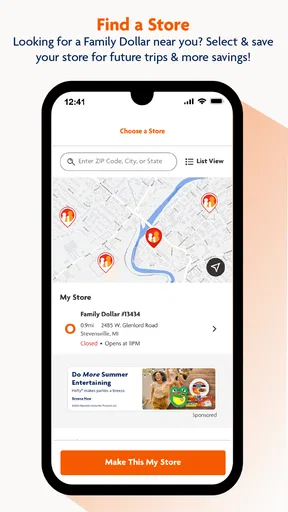
- Convenient store locator helps find nearby Family Dollar locations.
- Frequent discounts can make everyday essentials more affordable.
- Offers household, personal care, food, and seasonal products.
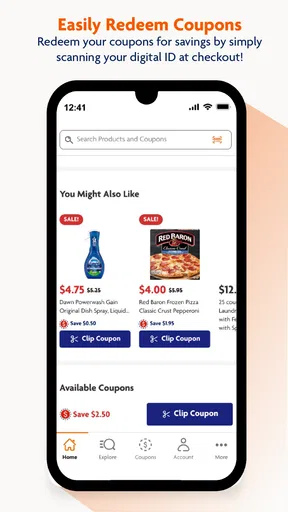
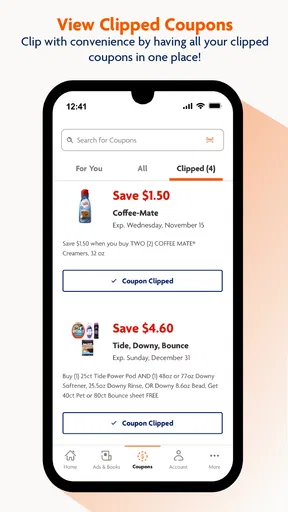
- Digital coupons are easy to browse and apply while shopping.
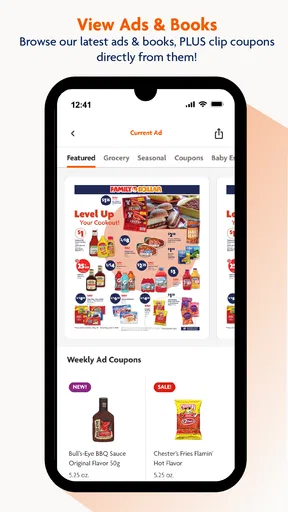
- Simple interface makes weekly deals quick to check.
Limitations of Family Dollar
- Product availability and prices may vary between individual stores.
- Some deals require account registration or coupon activation.
- The app may provide limited details for certain products.
- Store hours and information can occasionally be outdated.
- Not every location supports the same services or promotions.
Similar Picks in This Category
View All
SHEIN-Shopping Online
Roadget Business PTE. LTD.4.8

Amazon Shopping
Amazon Mobile LLC4.4


Mercado Libre: Compras online
Mercado Libre4.8

Wish: Shop and Save
Wish US Holdings LLC4.7

Alibaba.com - B2B marketplace
Alibaba Mobile4.4
Frequently Asked Questions
What is the Family Dollar app used for?
The Family Dollar app is designed to help shoppers find nearby stores, browse available deals, and discover weekly savings before visiting. Depending on your location and the current version of the app, it may also provide digital coupons, product information, shopping lists, and notifications about promotions. Features can vary by store and region, so availability should be checked after entering your ZIP code or location.
Does Family Dollar offer digital coupons or rewards through the app?
Yes, Family Dollar commonly provides digital coupons and promotional offers that can be accessed through its mobile shopping experience. Users may need to create or sign in to an account, clip eligible coupons, and identify themselves at checkout according to the instructions shown in the app. Always review expiration dates, product restrictions, and redemption limits because offers may not apply to every brand or store.
Can I use the Family Dollar app to find products and check prices?
The app can help you explore products, deals, and store information, but the accuracy and amount of inventory or pricing data may differ between locations. A product displayed online may be unavailable at your selected store, and local prices can change. For important purchases, it is best to select the correct store, confirm the offer details, and contact the location if you need guaranteed availability.
Does Family Dollar provide delivery or pickup through the app?
Delivery and pickup options may be available in some areas through Family Dollar’s digital services or third-party delivery partners, but they are not guaranteed everywhere. Availability depends on your address, store participation, product eligibility, operating hours, and local service coverage. Before placing an order, check the final cart carefully for item substitutions, service fees, delivery charges, taxes, and any minimum-order requirements.
Is the Family Dollar app free and what permissions does it require?
The Family Dollar app is generally free to download and use, although purchases, delivery charges, or other optional services may involve additional costs. It may request permissions such as location access to show nearby stores, notifications for coupons and promotions, and account information for personalized features. You can review or change permissions in your Android or iOS settings, but disabling some may limit app functionality.
